
Subdomain or subfolder for your blog and app docs?
blog.example.com or example.com/blog? A decision you make once, and one that's expensive to change later.
Co-founder, Parslinks · Team, marketing & infrastructure
An online spice and dried-fruit shop in Kerman decides, after two years, to start a blog: saffron recipes, a guide to choosing pistachios, and articles meant to show up in searches for dishes like sholeh zard. The tech team installs WordPress on blog.example.ir because it's easiest. A year later the blog gets good traffic, but the shop's product pages haven't moved in the rankings. The SEO consultant asks: "Why isn't the blog in a subfolder?"
Two choices, one main difference
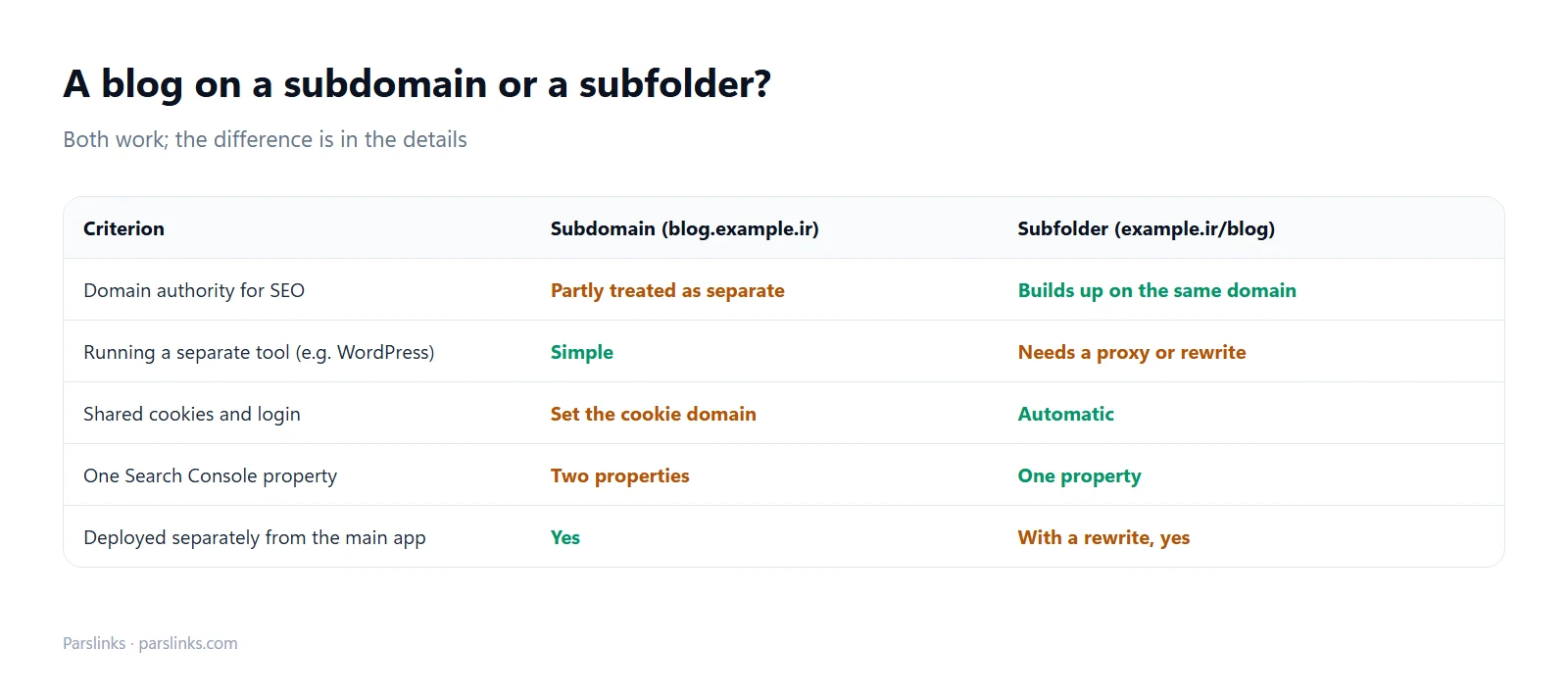
Search engines treat a subdomain partly as a separate site. Links to articles on blog.example.ir don't pass their full authority to example.ir. In a subfolder (example.ir/blog) all the authority builds up on one domain, and a popular article helps the product pages too.
Google officially says it indexes both well, and that's true. But the practical experience of most SEO specialists, especially for small and medium sites, favours subfolders.
When a subdomain makes sense
- The main app, separate from the site:
app.example.comfor the dashboard. Pages behind login aren't meant to be indexed, so SEO doesn't matter. - A completely different audience:
careers.example.com, say, or a sub-brand's site. - A real technical constraint: when the blog or docs tool genuinely can't run under a path and a proxy isn't possible.
When a subfolder is better
- Blogs and educational content meant to attract search traffic and lift the whole site.
- Product docs that users move between and the site.
- Multilingual pages:
example.com/eninstead ofen.example.com, with correct hreflang tags.
A subfolder without merging projects
A common worry is that a subfolder means the blog and site must be one project. They don't. The blog can be deployed separately while the main site proxies /blog to it. In Next.js:
The blog must know it's served under /blog: in WordPress, set the site URL to https://example.com/blog; in Next.js, use basePath: "/blog". And mark the blog's origin address (blog-origin) noindex so it doesn't create duplicate content.
If you're on a subdomain today
Migrating is worth it if the blog has meaningful traffic and you want it to help the main site. The order:
- Make the blog available under
/blogon the main site (proxy or move it). - Add 301 redirects from every
blog.example.com/*URL toexample.com/blog/*. - Point every article's canonical at the new URL.
- In Search Console, register the change of address and submit the new sitemap.
- A few weeks of ranking wobble is normal; keep the redirects for at least a year.
The Kerman shop did exactly this. A few months later, the product page for their premium pistachios, linked from their most popular articles, reached the first page of results for the first time.
Frequently asked questions
Join the discussion
No comments yet. Be the first to share your thoughts.
Related posts
- Guides
Connecting a domain to your app: A, CNAME, the apex, and why DNS changes seem slow
You've connected the domain, but half the team still sees the old site. This post explains which record goes on the apex and which on www, how TTL slows a switch down, and how to use dig to see what the rest of the world actually sees.
- Guides
Automatic SSL: issuing, renewing, and the TLS errors that still scare users away
Let's Encrypt certificates are free and valid for 90 days, which means four chances a year to forget. This post explains how automatic issuing and renewal work, what common browser errors actually mean, and how to find and fix each one fast.
- Platform
Hosting inside Iran or abroad? A decision for web apps that needs real numbers
For a WordPress blog, the difference between domestic and foreign hosting is a few milliseconds. For a shop or app whose revenue depends on users in Iran, this choice decides what happens during an international outage, how you pay, and how safe your account is.