
Moving from cPanel to Git-based deploys: a step-by-step guide for small teams
If you still ship with FileZilla, speed isn't your problem. Your problem is that nobody knows exactly what's on the server right now.
A small online shop went down on a Thursday evening. A colleague had edited config.php in cPanel's File Manager to change the payment gateway URL. At the same moment, the developer uploaded their local copy over FTP, a copy that didn't have that change. Neither of them did anything wrong. There was just nowhere that recorded which version was "the right one".
That's exactly the problem Git-based deploys solve. Speed is a side benefit. The real benefit is a single source of truth: everything on the server came from a specific commit, with an author, a timestamp and a reason.
Before and after, for one small change
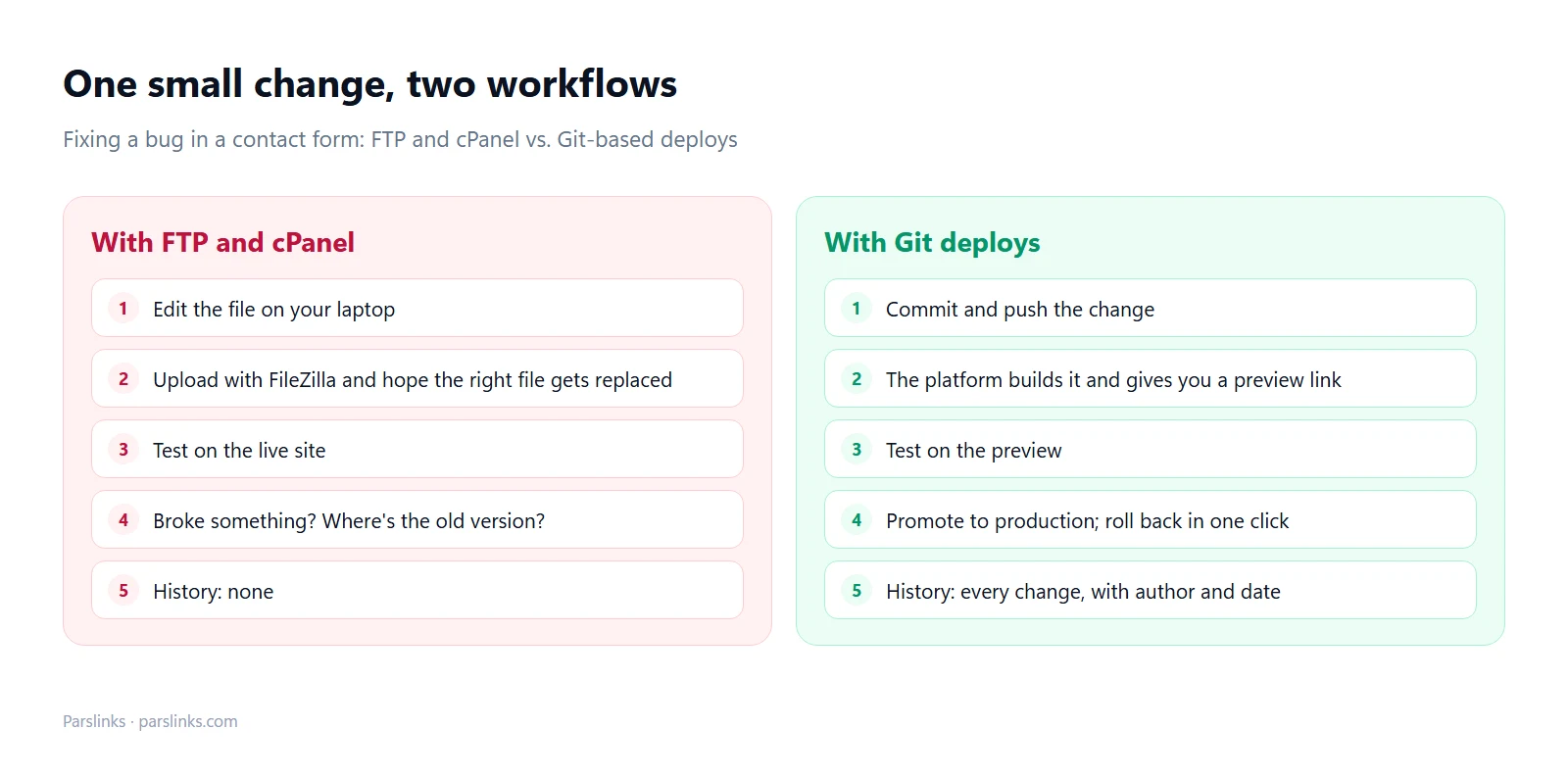
We'll migrate in five steps. The order matters: until the last step, the current site on cPanel keeps running untouched, and you can go back at any time.
Step 1: Get the current code into Git exactly as it is
You'll be tempted to clean the code up first. Don't. Take a full copy of public_html (or wherever the site lives) and commit it as-is as the first commit. From then on, every change is comparable and reversible.
Download the folder as an archive from cPanel's File Manager or the Backup section. On your laptop:
mkdir shop && cd shop
unzip ~/Downloads/public_html.zip -d .
git init
git add .
git commit -m "Snapshot of live site from cPanel"

# Create a private repo on GitHub or GitLab, then:
git remote add origin [email protected]:your-team/shop.git
git push -u origin mainStep 2: Separate configuration from code
On cPanel sites, the database password and site URL are usually written straight into a PHP file. With Git-based deploys, the same code runs on your laptop, on previews and in production, so those values need to come from environment variables:
<?php
// Before: the real value lived in the code
// $db_pass = 's3cret-from-2019';

// After: each environment provides its own values
$db_host = getenv('DB_HOST') ?: '127.0.0.1';
$db_name = getenv('DB_NAME');
$db_user = getenv('DB_USER');
$db_pass = getenv('DB_PASSWORD');
$site_url = getenv('SITE_URL');

if (!$db_name || !$db_user) {
    http_response_code(500);
    exit('Database is not configured.');
}
For most PHP sites, that's the only code change needed. On WordPress, do the same in wp-config.php. For a Node.js app you probably already read process.env; just make sure no real values are left in the code.
Step 3: Move user uploads out of the code
This is the step people skip, and after the first deploy all the product photos are gone. On cPanel, files uploaded by users or admins (like wp-content/uploads or storage/app/public) sit on the same disk as the code. With Git-based deploys, every release creates a fresh copy of the code, and anything not in Git isn't in the next version.
You have two options: mount the uploads folder on a persistent volume, or move uploads to object storage. A persistent volume is simpler to start with; object storage is the right call for a site that will run on more than one instance.
Step 4: Database and preview
Now connect the repo to the platform. The first deploy gives you a preview URL. That's where you test everything without touching the live site.
Export the database from cPanel (phpMyAdmin's Export tab, or mysqldump if you have SSH access) and import it into the new database. Set the DB_* variables in the dashboard and redeploy the preview.
| What to check on the preview | Sign of a problem |
|---|---|
| Home page and a few inner pages | Database connection error or a blank page |
| Product images and uploaded files | Broken images; step 3 isn't finished |
| Logging into the admin panel | Redirects to the old address; SITE_URL is wrong |
| Contact form and outgoing email | Email doesn't arrive; SMTP settings are needed |
| Cron jobs (if you had any) | Scheduled tasks don't run |
Step 5: Switch the domain
Once the preview fully works, it's the domain's turn. A day before, lower the TTL on the domain's records (to 300 seconds, for example) so the switch shows up quickly. Then:
- Sync the database one last time. If the site took new orders or sign-ups in the meantime, take a fresh export and import it. For a shop, do it at a quiet hour.
- Add the domain on the platform and change the A or CNAME record as the dashboard instructs. We cover the records, and why DNS changes sometimes seem "slow", in our domain connection guide.
- Keep the cPanel hosting for a few days. If something turns up, switching the DNS record back is all you need to do.
After the move: the new routine
From now on, nobody edits files directly on the server. Every change, even one line of CSS, takes the same path: branch, push, preview, promote to production. It feels a little slower at first. After the first time you undo a bad change with one click, you stop thinking about FTP.
If your team is one person and the site changes twice a year, cPanel is probably fine and this migration isn't worth the time. But if more than one person works on the code, or the site makes money, history, previews and instant rollback aren't things you want to discover you need after the first outage.
Frequently asked questions
Join the discussion
No comments yet. Be the first to share your thoughts.
Related posts
November 24, 2026
Connecting a domain to your app: A, CNAME, the apex, and why DNS changes seem slow
You've connected the domain, but half the team still sees the old site. This post explains which record goes on the apex and which on www, how TTL slows a switch down, and how to use dig to see what the rest of the world actually sees.
November 24, 2026
PaaS or a VPS? The real DevOps hours behind a small team's server
The VPS price is on the invoice. The hours spent on patches, SSL renewals, deploy scripts and midnight restarts are not. This post counts those hours, compares them with a platform, and is honest about when a VPS is still the better call.
November 24, 2026
Zero-downtime deployments in practice: rolling, blue/green, and promoting the same artifact
A restart is the simplest way to deploy, and the seconds the service is down are the seconds orders fail. This post lists where downtime really comes from, compares three common release strategies, and shows how to change your database without an outage.