
A preview for every branch: reviewing work without queueing for shared staging
Shared staging works for a team of two. From the third person on, it becomes a queue everyone waits in.
Co-founder, Parslinks · Team, marketing & infrastructure
It's Saturday morning, the start of the working week in Iran, and three people on a small team have each finished something. Ali rewrote the cart page, Sara fixed SMS-code login, and Negar built the banner for the Yalda campaign. All three want their work on staging so the product manager can look.
Ali gets there first and takes staging. Sara has to wait. When both changes are finally merged onto staging, the product manager finds a bug in the cart and the debate starts: Ali's change or Sara's? Negar still hasn't had her turn. By noon, none of the three pieces of work is approved.
This isn't anybody's fault; it's the structure. One staging means one queue.
The difference at a glance
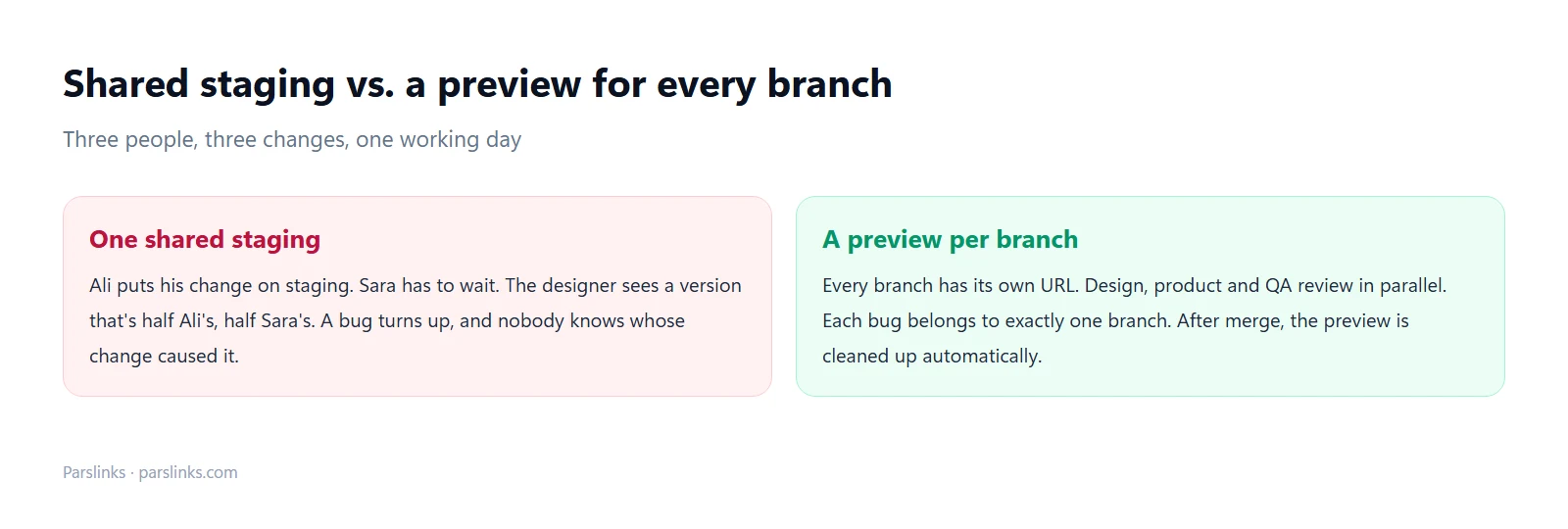
A preview per branch means every time someone pushes a branch, the platform builds it separately and gives it its own URL. Every change has its own world. The product manager gets three links instead of one crowded staging.
The benefit isn't only speed:
- Bugs have an owner. What you see on the
fix/sms-otppreview belongs to that change. - Non-engineers can review. A designer doesn't need to know what a branch is; they open the link on their own phone.
- Approval means something. If the same artifact goes to production, what was approved on the preview is exactly what ships.
Four things to set up from the start
1. The preview database
The first question is always: which database do previews connect to? Our firm answer: anything but production. A preview wired to the main database will, sooner or later, change customer data through an experimental migration or a cleanup script in a branch.
For most teams, one shared staging database with sample data is enough. If branches carry conflicting migrations, you can create a separate database or schema per preview, but start that when you actually need it.
2. Separate environment variables
The live payment key, the real SMS provider and customer email shouldn't reach previews. Define sandbox values for the preview environment. More on this in environment variables and secrets.
3. Access
Previews are unfinished versions of your product. They shouldn't be indexed by Google or end up with competitors. Two simple steps: an X-Robots-Tag: noindex header on every preview, and, if needed, restricting access to team members.
4. Cleanup
A preview whose branch has been merged or deleted should be removed automatically; otherwise, after a few months you have dozens of old versions and nobody knows which are still needed.
A suggested workflow
On Parslinks, each branch's preview is built automatically, and the rest of the routine looks like this:
- A developer pushes a branch; the build and preview are created automatically.
- Put the preview link in the pull request so everyone finds it in one place.
- Design and product review on that link; feedback goes in the same PR.
- After approval and merge, that same artifact is promoted to production.
| Role | With shared staging | With a preview per branch |
|---|---|---|
| Developer | Waits for staging to free up | Has a link right after pushing |
| Designer | Sees a mix of several changes | Sees only the change for their design |
| Product manager | One group review a day | Whenever each is ready, separately |
| Tester | Can't tie a bug to a specific change | Every bug belongs to one branch |
What about cost?
Previews use resources, but most of them sit idle most of the time: a few visits a day, then nothing. A platform that puts idle previews to sleep and wakes them on the first request keeps their cost close to zero. Meanwhile, the hours a team spends waiting in the staging queue never show up anywhere, but they are paid for.
Frequently asked questions
Join the discussion
No comments yet. Be the first to share your thoughts.
Related posts
- Guides
Environment variables and secrets: from a .env on your laptop to production
Why does a key you marked "hidden" in your dashboard show up in your site's JavaScript? The difference between build-time and runtime variables, separate values for each environment, and what to do in the first minutes after a key leaks.
- Platform
A Vercel alternative for teams in Iran: what it actually has to replace
Foreign-card payments, the risk of a suspended account and unreliable access to vercel.app push teams in Iran to look elsewhere. But renting a server and running next start covers only a small part of what Vercel did. Here is the full list, and how the alternatives compare.
- Deploy
Zero-downtime deployments in practice: rolling, blue/green, and promoting the same artifact
A restart is the simplest way to deploy, and the seconds the service is down are the seconds orders fail. This post lists where downtime really comes from, compares three common release strategies, and shows how to change your database without an outage.