
Security headers and CSP: five lines that block a big class of attacks
Security headers are free, take minutes to add and are still missing from most sites.
Founder & CTO, Parslinks
A community forum for home bakers lets members format posts with a little HTML. One day a member's post includes a carefully crafted <img onerror=...> that the sanitizer missed. Everyone who opens the thread silently sends their session cookie to an unknown server.
The sanitizer had to be fixed, and it was. But with even a basic Content-Security-Policy, the browser would never have run that script. That's what security headers are: a second line of defense for when the first one misses something.
The five headers that matter
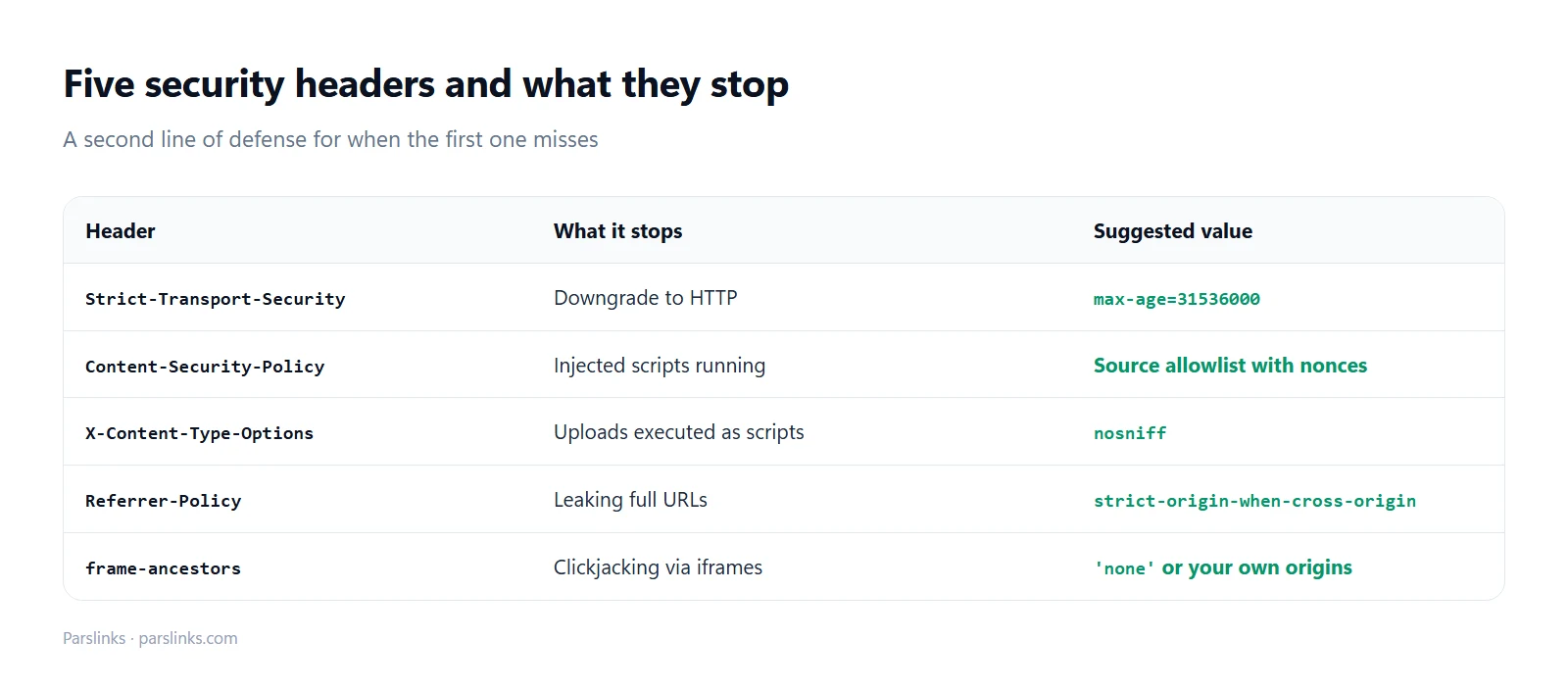
Strict-Transport-Security (HSTS): tells browsers to use HTTPS only for your domain, even if someone types http://. It blocks downgrade attacks on public Wi-Fi. Start with a short max-age, then raise it to a year once you're confident. If SSL itself is shaky, read automatic SSL first.
Content-Security-Policy (CSP): an allowlist of where scripts, styles, images and fonts may load from. The most powerful header and the easiest to get wrong; more below.
X-Content-Type-Options: nosniff: stops browsers from guessing file types. Without it, a file uploaded as an image might be executed as a script.
Referrer-Policy: strict-origin-when-cross-origin: when users follow a link to another site, only your origin is sent, not the full URL, which might contain tokens or personal data.
frame-ancestors (in CSP) or X-Frame-Options: prevents other sites from embedding yours in an iframe. Without it, a phishing page can overlay your checkout with an invisible layer and trick users into clicking buttons they can't see.
Roll out CSP without breaking things
A strict CSP almost always breaks something on the first try: an analytics snippet, a support widget, a font from another domain. The safe path:
- Report-only first. Send the policy as
Content-Security-Policy-Report-Only. Browsers block nothing and report violations. - Collect for a week and add legitimate sources to the allowlist.
- Enforce, and keep a report-only policy around for testing future changes.
For inline scripts, don't reach for 'unsafe-inline', which throws away most of CSP's value. Use nonces instead: a random value generated per request, so only scripts carrying it run. Next.js and most modern frameworks support this.
The outcome
The forum fixed its sanitizer, made the session cookie HttpOnly and Secure, and added the five headers above, running CSP in report-only mode for a week first. Two analytics scripts and a chat widget went onto the allowlist; every other report came from users' browser extensions. If the sanitizer ever misses something again, the browser won't run the injected script.
For the other response headers that matter, see Cache-Control, file by file.
Frequently asked questions
Join the discussion
No comments yet. Be the first to share your thoughts.
Related posts
- Guides
Automatic SSL: issuing, renewing, and the TLS errors that still scare users away
Let's Encrypt certificates are free and valid for 90 days, which means four chances a year to forget. This post explains how automatic issuing and renewal work, what common browser errors actually mean, and how to find and fix each one fast.
- Guides
Cache-Control headers for a modern front end: a recipe for every kind of file
Cache-Control is one header with a few words, but each word changes how browsers, CDNs and servers behave. This post explains each directive simply, suggests a safe recipe for every kind of response, and shows two costly mistakes.
- Guides
Environment variables and secrets: from a .env on your laptop to production
Why does a key you marked "hidden" in your dashboard show up in your site's JavaScript? The difference between build-time and runtime variables, separate values for each environment, and what to do in the first minutes after a key leaks.