
Laravel on a cloud platform: queues, cron and storage without a hand-built server
Laravel is the most popular backend framework in Iran, and much of it still runs on a server whose supervisor and crontab someone configured years ago.
Co-founder, Parslinks · Team, marketing & infrastructure
A clothing shop in Tabriz has a three-year-old Laravel app running on a VPS. The original developer has left, and what remains is a server with Nginx, PHP-FPM, a supervisor config that keeps the queue worker running, and a crontab line that runs schedule:run every minute. None of it is in Git.
One day, after an OS update, supervisor doesn't come back up. The site works and orders are saved, but no order-confirmation SMS goes out to anyone, because the queue worker is off and nobody knows. Three days later, from customer complaints, someone finds the problem. Several thousand SMS messages are waiting in the queue.
This isn't a story about Laravel. It's about the parts of an app that were configured on a server instead of in code.
One app, three processes
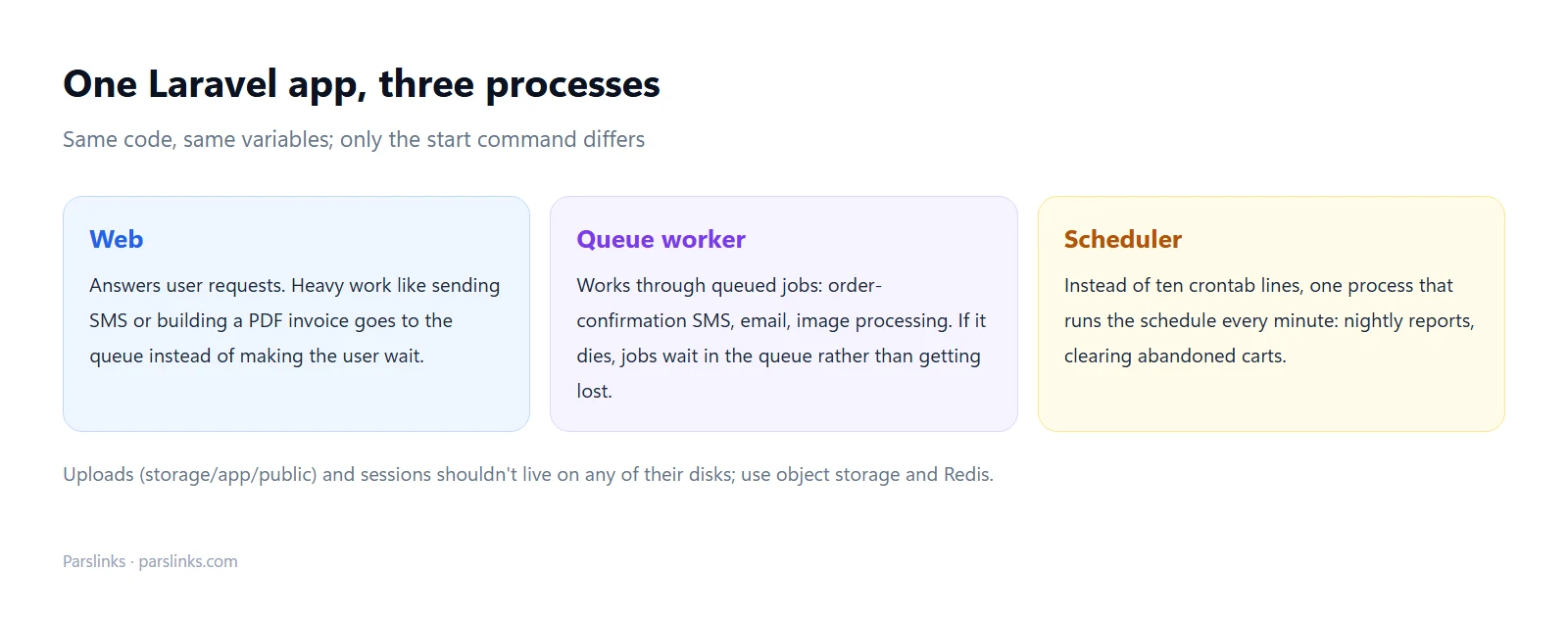
The key mental shift when moving Laravel to a platform: the queue worker and the scheduler aren't server add-ons; they're processes of the app itself, with the same code and the same environment variables, just a different start command. On a platform, you define each as its own service:
| Process | Start command | Instances |
|---|---|---|
| Web | PHP server or php-fpm behind a web server (Laravel preset) | As traffic requires |
| Queue worker | php artisan queue:work --tries=3 --max-time=3600 | As queue volume requires |
| Scheduler | php artisan schedule:work | Exactly one |
Two points in that table:
The scheduler must be exactly one instance. Run two and the nightly report is built twice and the reminder email goes out twice. If two could ever overlap (during a deploy, say), use onOneServer() on the scheduled tasks; it takes a cache lock to prevent duplicate runs.
--max-time recycles the worker periodically. A PHP worker left running for days can leak memory. With this flag the worker exits cleanly after an hour and the platform starts it again.
Queues: the right driver
The database driver is enough to start and needs nothing new. When job volume grows, Redis is faster and takes load off the main database. Don't use the sync driver in production; every job runs inside the user's request and the whole point of the queue is lost.
Don't lose queued jobs during deploys
When a new version ships, the old worker receives a stop signal. queue:work finishes its current job and then exits, provided the platform gives it enough time. Break long jobs (exporting ten thousand orders to Excel, say) into smaller chunks so no job takes more than a few tens of seconds.
One more subtle point: a job queued by the old version may be processed by the new version's worker. If the shape of the data you pass to the job has changed, the new code must also handle the old shape.
Storage and sessions
In Laravel, uploads usually go to storage/app/public and are exposed with storage:link. On a platform, that folder is recreated on every deploy. Switch the default disk to s3 and point it at S3-compatible object storage; code that uses Storage::disk() needs no changes.
Sessions and cache shouldn't be on disk (file) for the same reason. With two web instances, a user whose second request lands on the other instance gets logged out. Redis or the database is the right answer.
Migrations during deploys
Run php artisan migrate --force as a separate step before switching traffic, not inside the web start command; otherwise with three web instances the migration runs three times concurrently. And write migrations so the previous version still works with the new schema: add columns, don't drop them in the same release.
On Parslinks
The Laravel preset handles Composer installs and PHP settings. You define the queue worker and scheduler as separate processes in the same project, with the same environment variables. Every deploy gets its own preview, and if something misbehaves after release, you roll back to the previous version.
More important than any tool: after this move, the worker and scheduler settings live in the repo and project settings, not on a server only one person has the password to.
Frequently asked questions
Join the discussion
No comments yet. Be the first to share your thoughts.
Related posts
- Deploy
Do you really need a Dockerfile? Framework presets vs. custom containers
Many teams start every deployment by writing a Dockerfile. This post shows where a framework preset is enough, where you genuinely need a custom container, and what not to forget if you do write one.
- Guides
Moving from cPanel to Git-based deploys: a step-by-step guide for small teams
FTP uploads and editing files in cPanel's File Manager work for a small site, until two people change the same file at once. This guide walks through moving a PHP or Node.js site from cPanel to Git-based deploys, including the database, uploads, email and DNS.
- Guides
Environment variables and secrets: from a .env on your laptop to production
Why does a key you marked "hidden" in your dashboard show up in your site's JavaScript? The difference between build-time and runtime variables, separate values for each environment, and what to do in the first minutes after a key leaks.