
Scheduled jobs in production: cron that never runs twice and never fails silently
Cron looks trivial until your app has two instances, or the nightly report quietly stops for three nights.
Co-founder & Head of Development and Communications, Parslinks
A language-learning app sends a "time for today's lesson" push every evening at 7 p.m. local time. After the team scaled the web tier to three instances for a marketing launch, users started getting three identical notifications. The scheduler was running inside the web process, so it now ran three times.
A month later the opposite happened. The weekly streak-report job failed on a database timeout three weeks in a row, and nobody noticed until a user asked why their summary email had stopped.
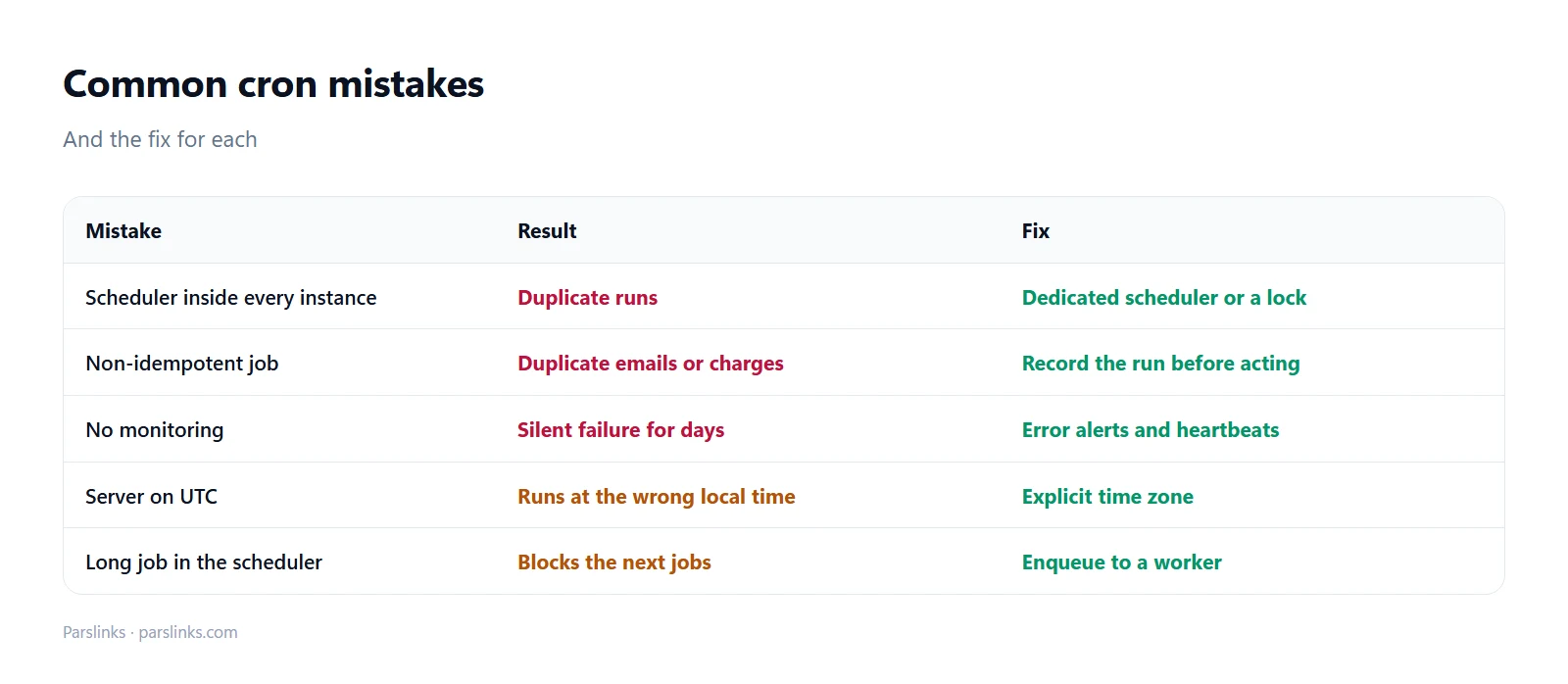
Mistake one: cron inside every instance
Libraries like node-cron, or a framework's built-in scheduler, run inside your app process. With one instance, fine. With two or more, each runs the job independently.
Three common fixes:
- A dedicated scheduler process: one process, one instance, that only runs scheduled jobs. The simplest and most predictable option.
- Platform cron: most platforms let you define a scheduled command that runs once at a set time.
- A shared lock: if the scheduler must stay in the app, take a lock in Redis or the database before each run so only one instance does the work.
Mistake two: jobs that can't run twice
Even with a single scheduler, a job can run twice: the server restarts mid-run and the job starts over, or a slow run overlaps with the next tick.
Make reruns harmless. For reminder pushes, record "sent for user X on date Y" before sending, and skip if it's already there. It's the same pattern as idempotent payment callbacks, applied to scheduled work.
Mistake three: silent failure
Failed cron jobs make no noise. You need two kinds of monitoring:
- Errors: when a job throws, send an alert.
- Missed runs: more important. If the scheduler itself has stopped, nothing errors. Ping a heartbeat at the end of every successful run, and alert when the expected ping doesn't arrive.
Put this next to your four core monitoring signals.
Long-running jobs
If a job takes more than a few minutes, like building a yearly report or emailing 100,000 people, the scheduler should only enqueue it and let a queue worker do the work. A long job then doesn't block the next ones, and if it fails halfway, the queue retries it.
The language app now has a dedicated scheduler process, records each reminder before sending and pings a heartbeat after every job. Users get one notification, and a missed weekly report pages someone the same morning.
Frequently asked questions
Join the discussion
No comments yet. Be the first to share your thoughts.
Related posts
- Deploy
Laravel on a cloud platform: queues, cron and storage without a hand-built server
A real Laravel app isn't just the web: there's a queue worker for SMS and email, a scheduler for nightly jobs, and a storage folder for files. This post shows how to run those three parts separately and reliably on a cloud platform, without losing queued jobs during deploys.
- Guides
Monitoring and logs for a small team: four numbers that are enough to start
The first person to notice your site is down shouldn't be a customer. This post explains the four basic signals (latency, traffic, error rate and saturation), suggests sensible alert thresholds for each, and shows how to write logs that help on incident day.
- Platform
Serverless, containers or PaaS? Three runtime models with one real application
Serverless is exciting at conferences, containers in job ads, and PaaS in projects that have to ship on time. This post takes one real shop API through all three models and shows where each one shines and where it causes trouble.