
Dates, time zones and non-Gregorian calendars: store, display and report without off-by-one days
An order placed at 11 p.m. shows up in tomorrow's report. The cause is almost always the same.
Co-founder & Head of Development and Communications, Parslinks
A subscription box company in Vancouver closes the books for March, and finance can't make the numbers match the card processor. A few orders from the evening of February 28 landed in March, and several from March 31 landed in April.
The server runs on UTC, and the reporting code computed "day" from server time. Late afternoon in Vancouver is already the next day in UTC, so every order placed in the last seven or eight hours of the local day was counted as the next day.
We hit the same bug in reverse: Iran is UTC+3:30, so for us every order between midnight and 3:30 a.m. Tehran time landed on the previous day. Plus our users read dates in the Persian (Jalali) calendar. Here's the rule that fixed both.
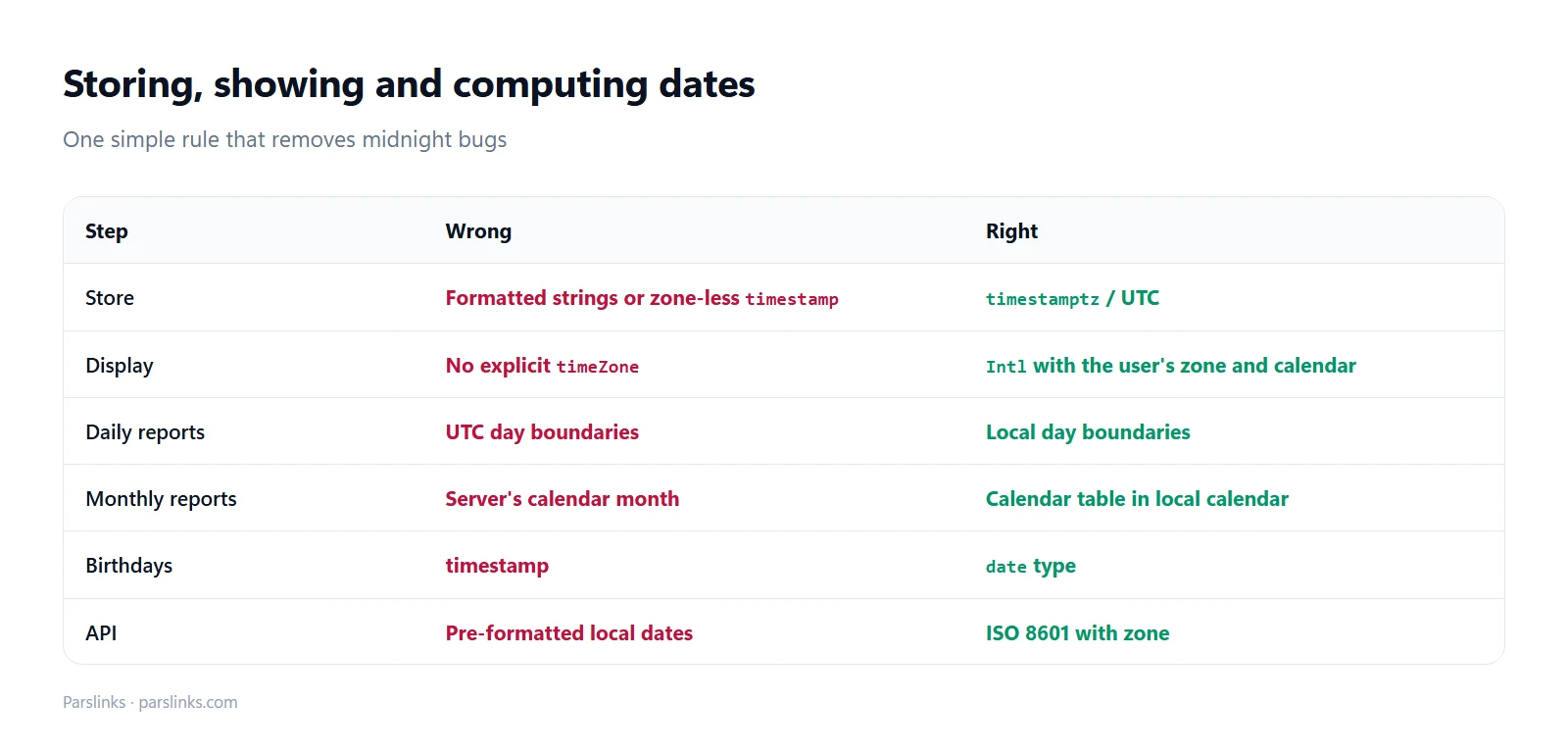
One rule: store UTC, display local
Store every moment as an absolute timestamp. In PostgreSQL that's timestamptz, not timestamp. Never store formatted local dates as strings.
Display by converting to the user's time zone and calendar only at render time.
Compute anything that depends on a "day" or "month" (daily reports, daily spending limits, "today's orders") using local day boundaries, not UTC ones.
Display other calendars without a library
Modern browsers and Node.js understand non-Gregorian calendars. Intl.DateTimeFormat with the right locale extension renders the Persian calendar, or Hijri, Hebrew and others:
Always pass timeZone explicitly. Without it, the same code prints one thing on a UTC server and another on your laptop, and the bug only shows up in production.
Monthly reports in a local calendar
For "sales in March" (or "sales in Ordibehesht"), compute the boundaries in local time first, convert them to UTC, then query. For non-Gregorian months you need a library that knows the calendar, or a calendar table in the database mapping each Gregorian day to its local date. For heavy reporting, a calendar table is faster and easier to trust.
Common traps
- Daylight saving changes. Offsets shift, and some countries change or drop DST rules entirely (Iran abolished DST in 2022). If your OS or base image ships stale tzdata, clocks may still jump. Keep tzdata current.
- User input. When a user picks a date in a form, they mean that day in their time zone. Account for it when converting to UTC.
- Scheduled jobs. "Every night at 11 p.m." on a UTC server is a different local time, and it moves with DST. We cover this in scheduled jobs.
The outcome
Both teams moved their timestamp columns to timestamptz, built a calendar table for reporting and formatted every date with Intl and an explicit time zone. The next month-end close matched the processor to the cent.
Frequently asked questions
Join the discussion
No comments yet. Be the first to share your thoughts.
Related posts
- Guides
Environment variables and secrets: from a .env on your laptop to production
Why does a key you marked "hidden" in your dashboard show up in your site's JavaScript? The difference between build-time and runtime variables, separate values for each environment, and what to do in the first minutes after a key leaks.
- Deploy
Laravel on a cloud platform: queues, cron and storage without a hand-built server
A real Laravel app isn't just the web: there's a queue worker for SMS and email, a scheduler for nightly jobs, and a storage folder for files. This post shows how to run those three parts separately and reliably on a cloud platform, without losing queued jobs during deploys.
- Deploy
Deploying Django with PostgreSQL, without wrestling Gunicorn and Nginx
Turn DEBUG off and the CSS disappears, ALLOWED_HOSTS returns 400, and migrations have to be run by hand after each deploy. This post prepares a Django project step by step for deployment on a platform: settings, static files, the database and Celery.